Binpeek, See inside closed bins
Stop lifting lids to check.
Point your iPhone at a shelf of closed storage bins and every one tells you what is inside. Ask for a thing and the right bin lights up.
Binpeek is in App Review now. Leave your email below and you'll get one note the day it's out.
iPhone, iPhone Duo and iPad
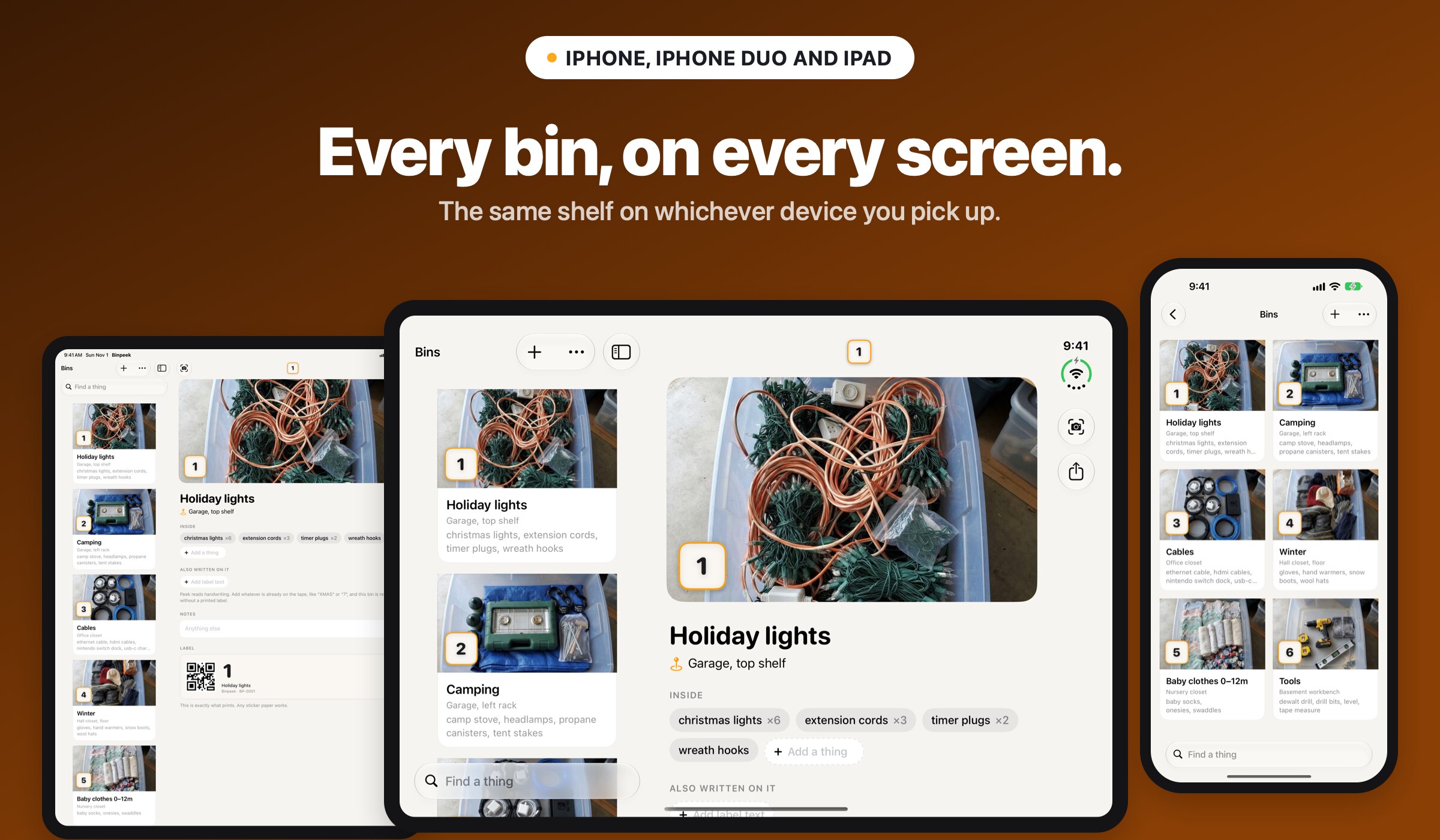
Every bin, on every screen
Point the camera at a shelf of labeled bins and every bin gets a caption with what is inside, all at once. On iPad and the open iPhone Duo, the shelf sits beside the camera, and every bin is in Spotlight and Siri.
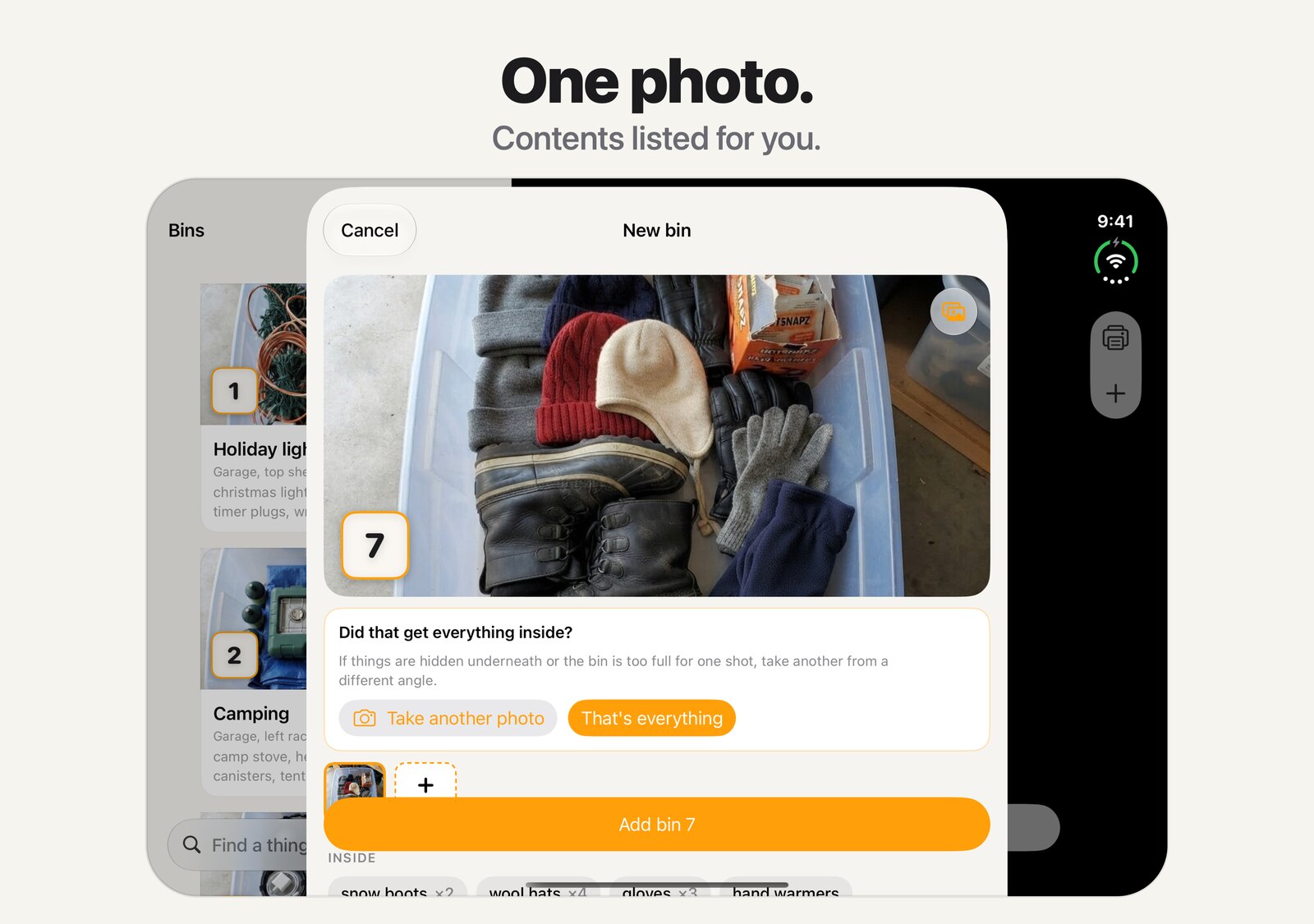
One photo, or several
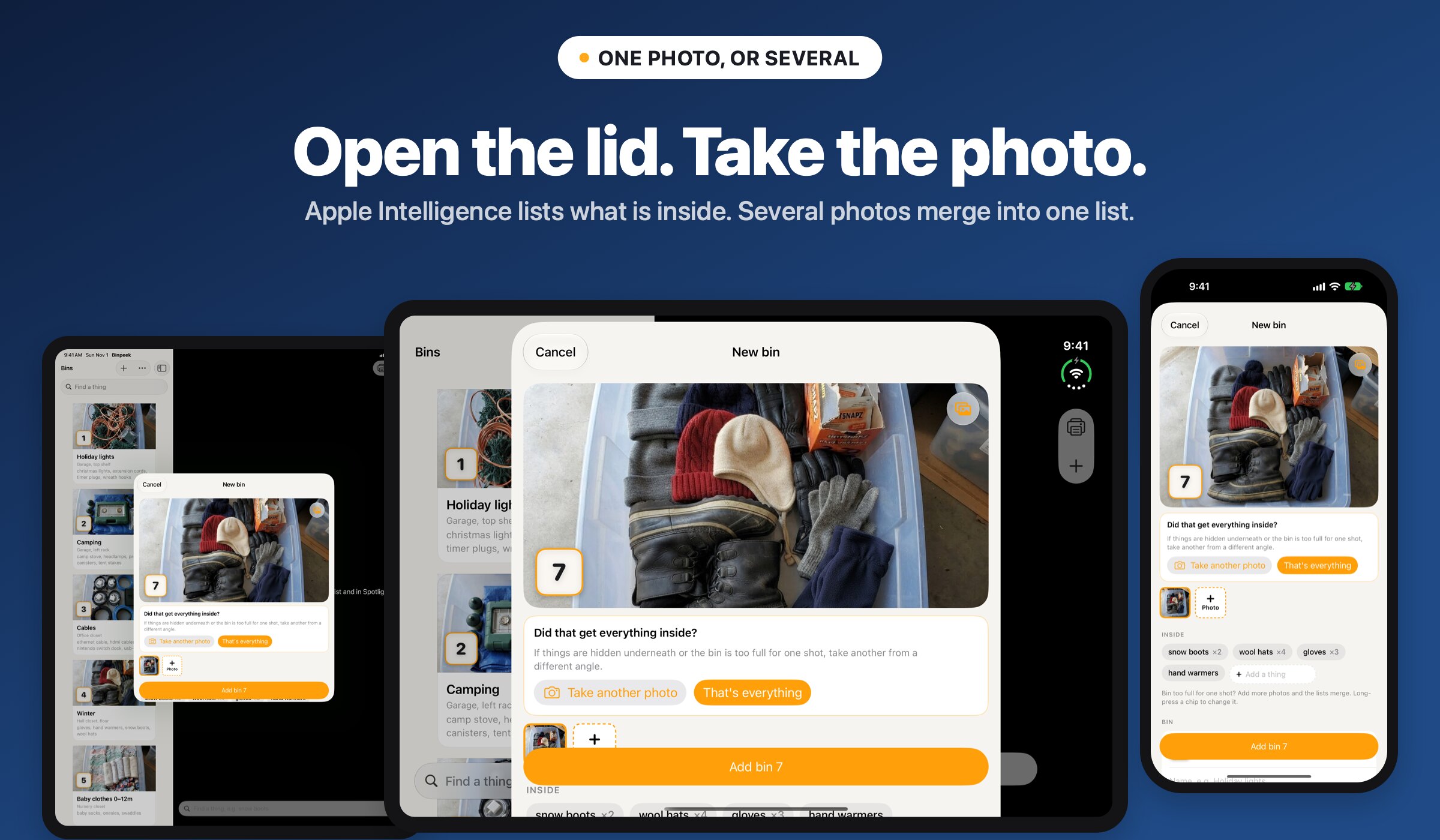
Open the lid. Take the photo.
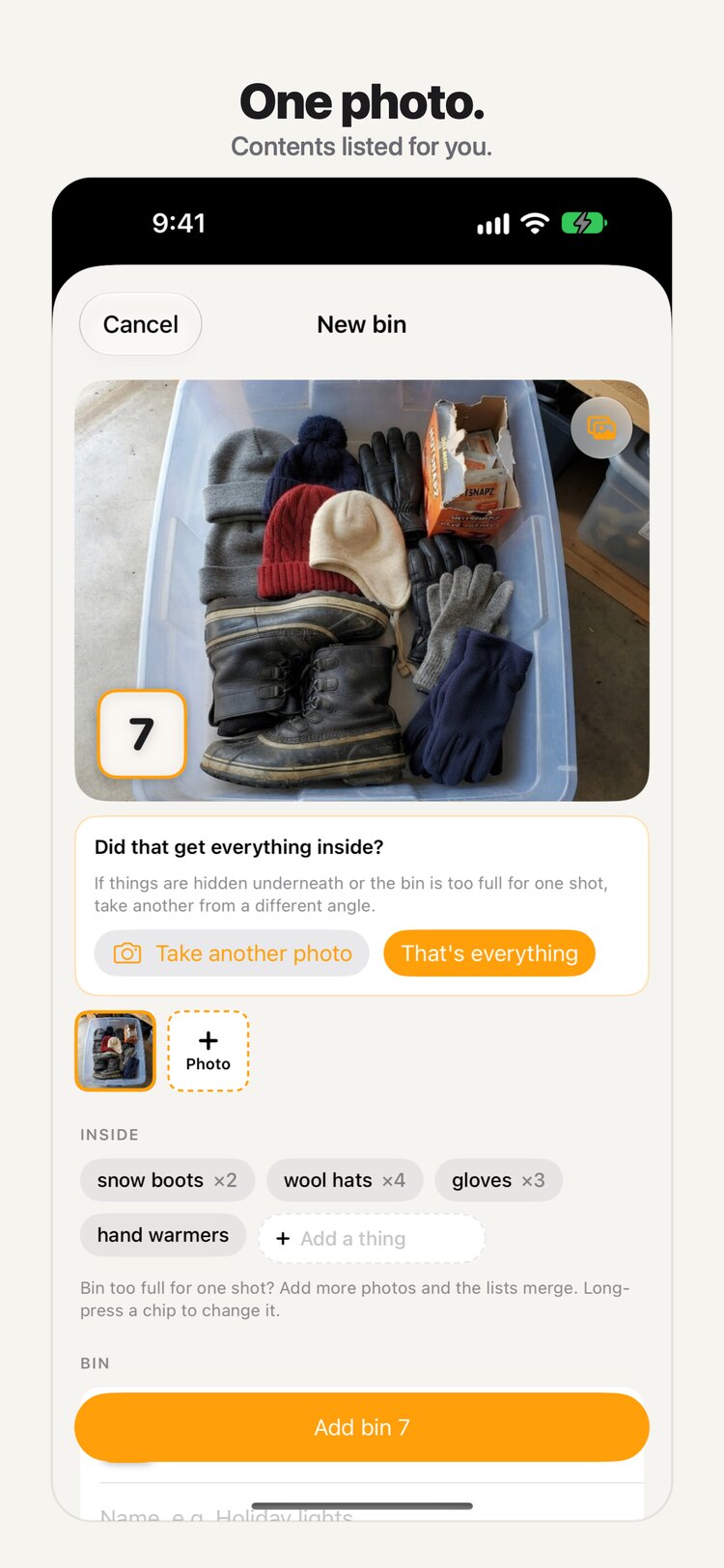
Apple Intelligence lists what is inside, reading brand names off the packaging, on your iPhone or on Apple's Private Cloud Compute. Bin too full for one shot? Take another; the photos merge into one list you review before anything is saved.
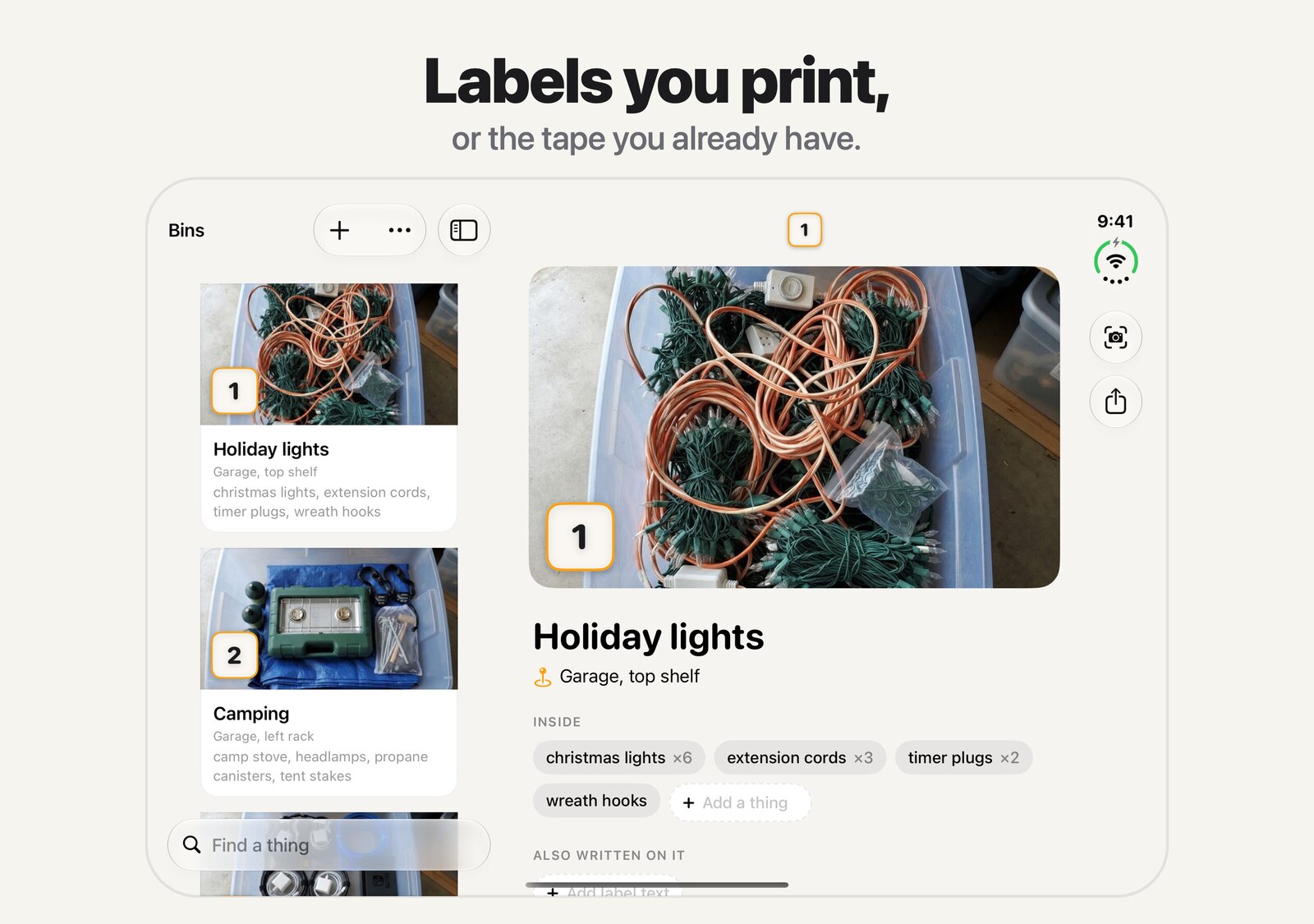
Labels you already have
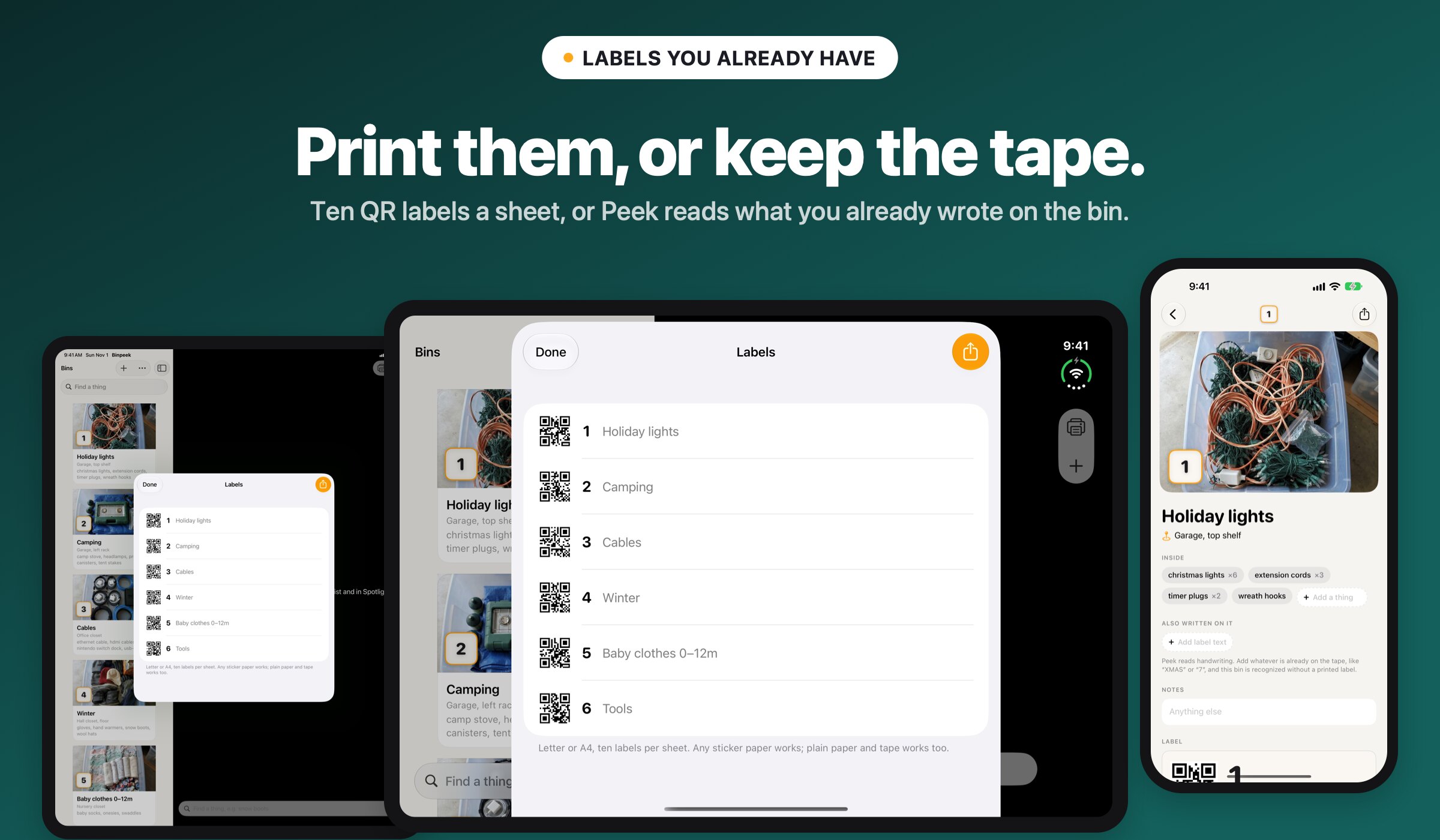
Print them, or keep the tape
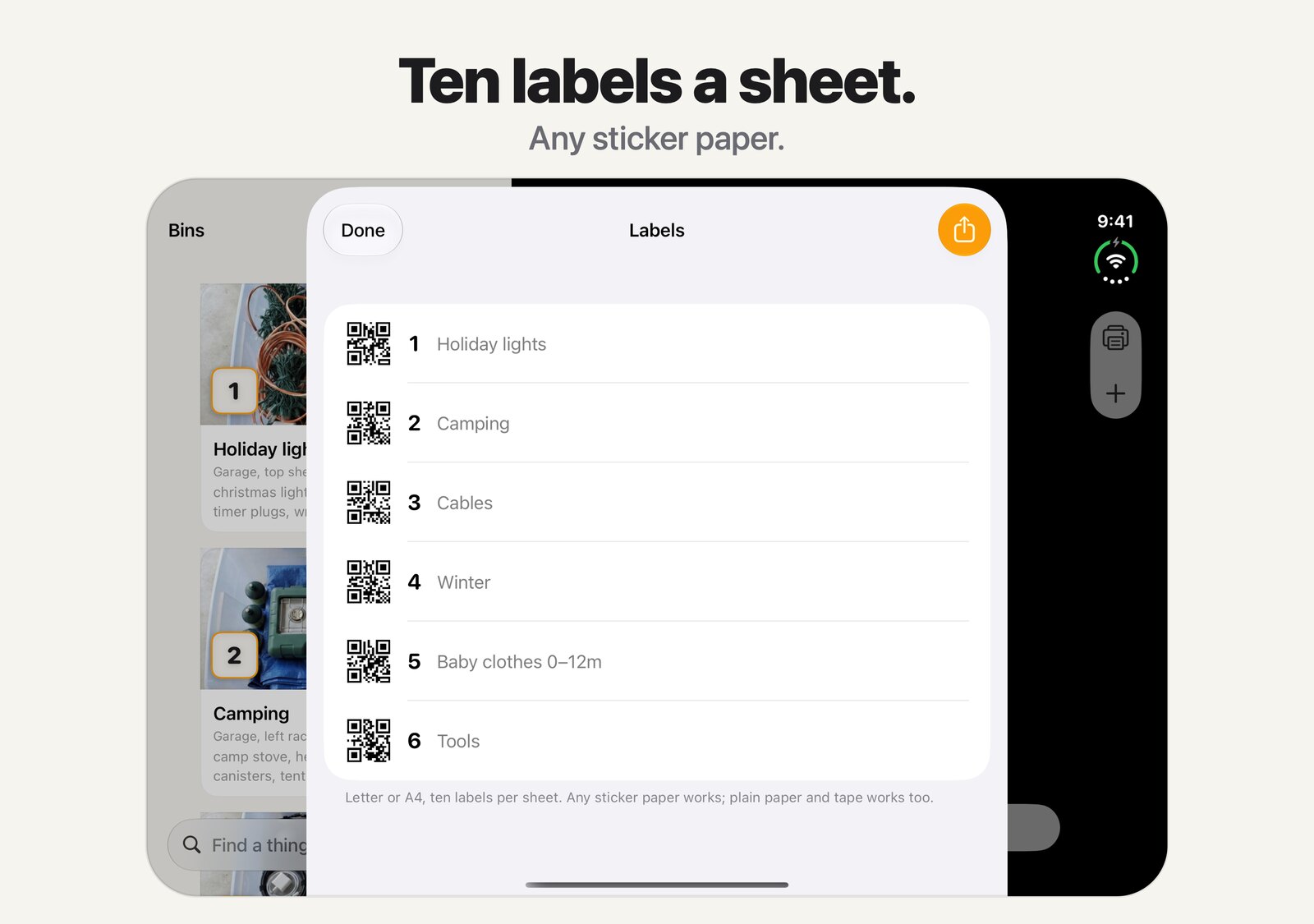
Print Binpeek labels on any sticker paper, ten to a sheet. Or keep the masking tape: Binpeek reads handwriting, so a bin marked XMAS or 7 is recognized without reprinting anything.
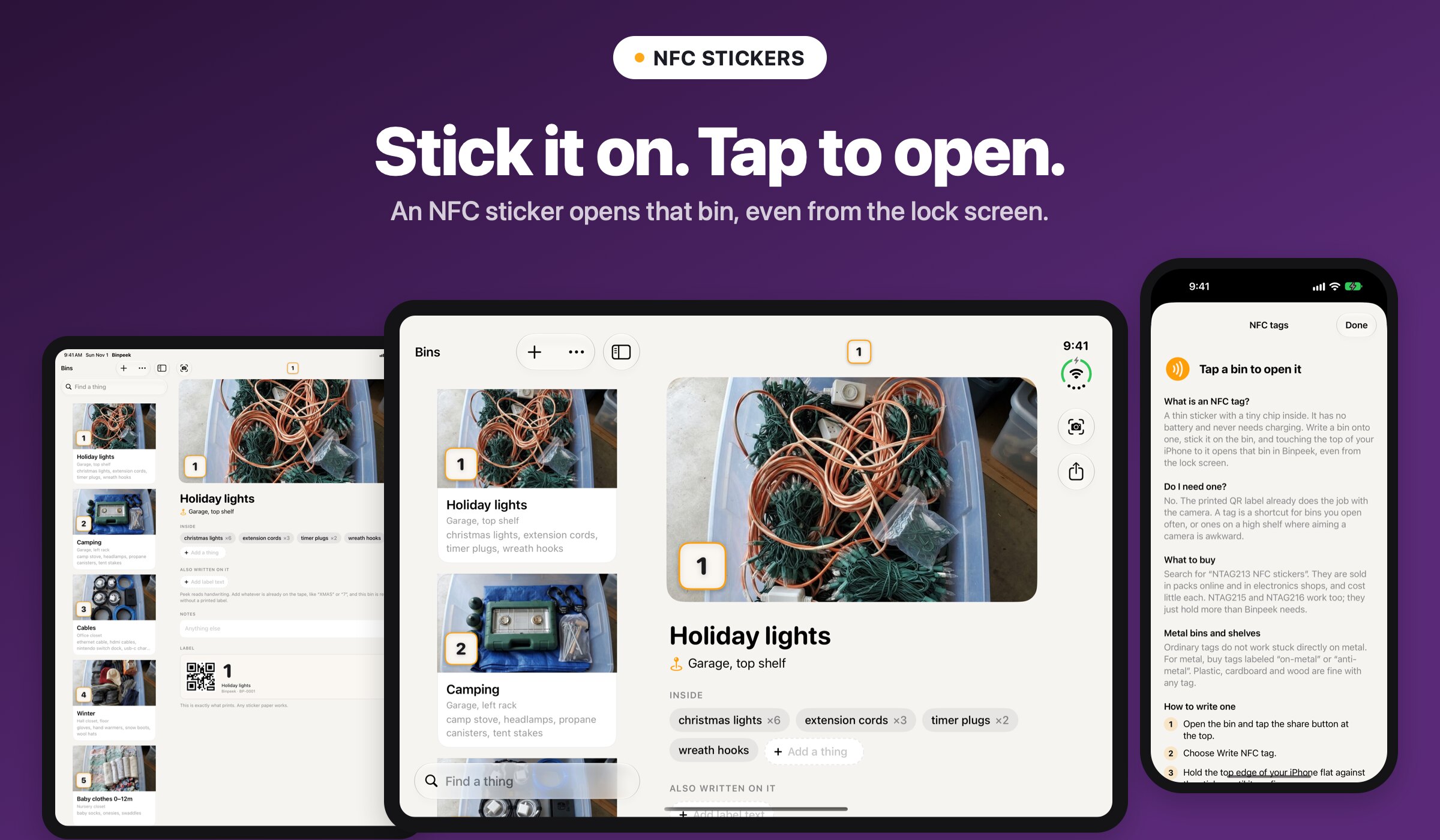
NFC stickers
Stick it on. Tap to open.
Write a bin onto an NFC sticker and touching your iPhone to it opens that bin, even from the lock screen. Binpeek explains what to buy, including on-metal tags for metal shelves.
Share with your household
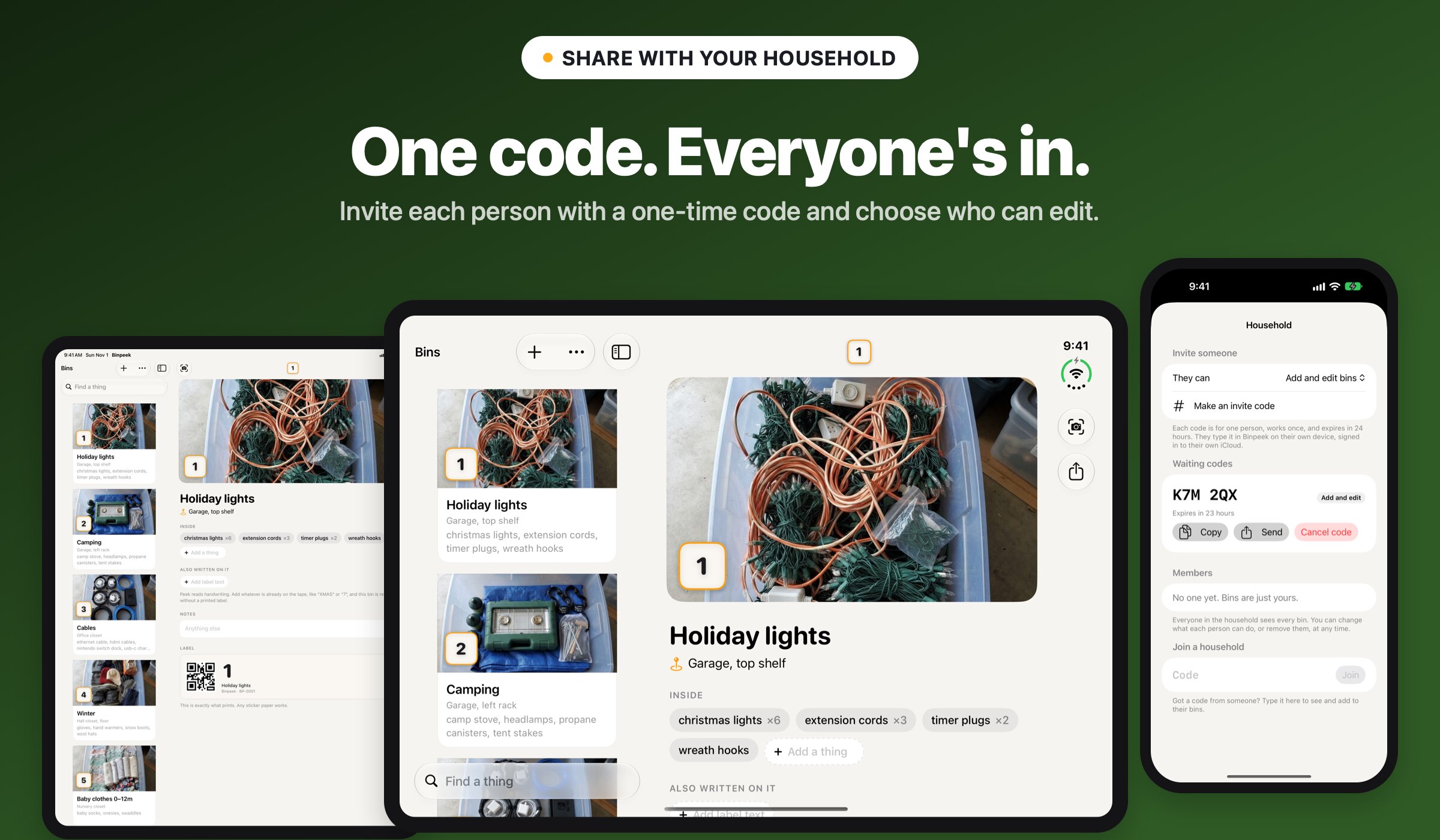
One code. Everyone's in.
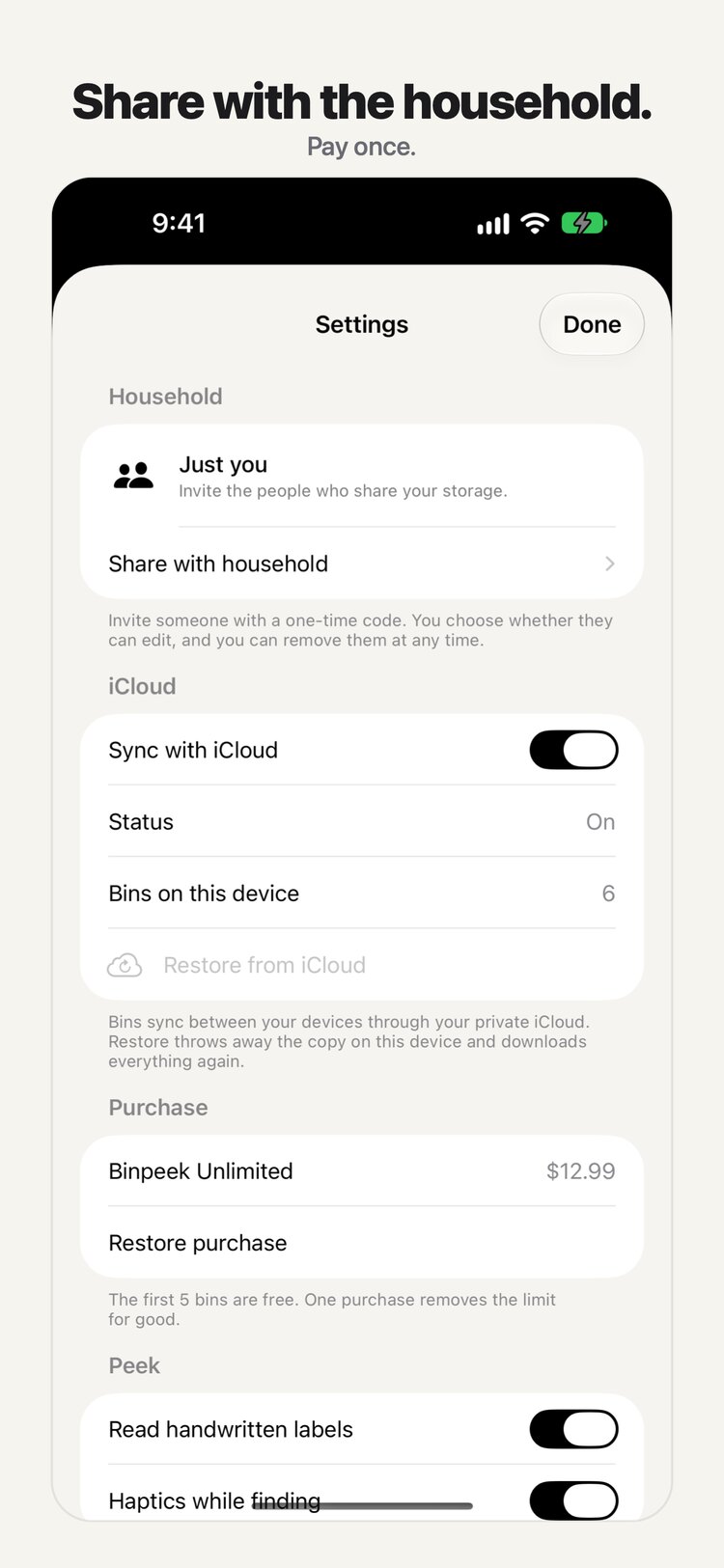
Invite each person with a six-character code that works once and expires in 24 hours. Choose who can add and edit and who can only look, and remove anyone at any time.
iPhone Duo
Unfold it
Fold the Duo like a book and the shelf and the bin become two pages. Stand it in tabletop and the camera moves to the upright half, with the shelf on the flat half by your hands.
In motion
See Binpeek in 30 seconds
Honest by default
No account. No ads. No tracking.
There is no Binpeek server. Bins live on your device and in your own private iCloud, and photos are recognized with Apple Intelligence on your iPhone or on Apple's Private Cloud Compute.
The full list
What's inside
Everything Binpeek does, in one place.
- Peek: point at a shelf and every labeled bin is captioned with its contents
- Find: ask for a thing and the right bin lights up, with haptics as you get close
- Photos of each bin, contents recognized with Apple Intelligence and Private Cloud Compute
- Printable QR labels, handwriting on tape, or NFC stickers that open from the lock screen
- Household sharing with one-time invite codes and view-only members
- Every bin in Spotlight and Siri
- Tabletop and book layouts on iPhone Duo, sidebar on iPad
- No account, no server, no ads, no tracking
- Five bins free, then one purchase for unlimited
- English and Spanish
SwiftUIApple IntelligenceVisionKitCore Data + CloudKitCore NFC
Go further
One purchase for the rest of the garage: Binpeek Unlimited
Free for 5 bins. Binpeek Unlimited is $12.99, once.













No shady stuff
An app you can trust
Binpeek is built by one person, not a growth team. No tracking, ever. That goes for all 15 JC Mobile App Studio apps.
Binpeek is coming
Leave your email and you'll get one message when it ships.